> ## Documentation Index
> Fetch the complete documentation index at: https://docs.heyoo.ai/llms.txt
> Use this file to discover all available pages before exploring further.
# API Keys
> Learn how to get your Heyoo API key.
API keys on Heyoo allow other apps to access your organisation programmatically. This is useful for integrating Heyoo with other tools and services.
Each API key is tied to a specific organisation – meaning you can use it to access that organisation's resources without having to worry about "leaking" access to other organisation.
Heyoo API keys are prefixed with `hey_` for easy identification.
## API key permissions
You can create 3 types of API keys on Heyoo:
1. **All permissions** – This API key will have full access to all resources.
2. **Read only** – This API key will have read-only access to all resources.
3. **Restricted** – This API key will have restricted access to some resources:
* Campaigns
* Analytics
* Workspaces
* Domains
* Tags
* API Keys
Depending on your use case, you might want to use one of these 3 options to limit the scope of the API key and improve security.
## Machine users
On Heyoo, you can create API keys that are associated with a "Machine user". This is particularly helpful when you don't want to associate the API key with a particular user in your workspace, to avoid security risks in involving turnover or changes in project ownership.
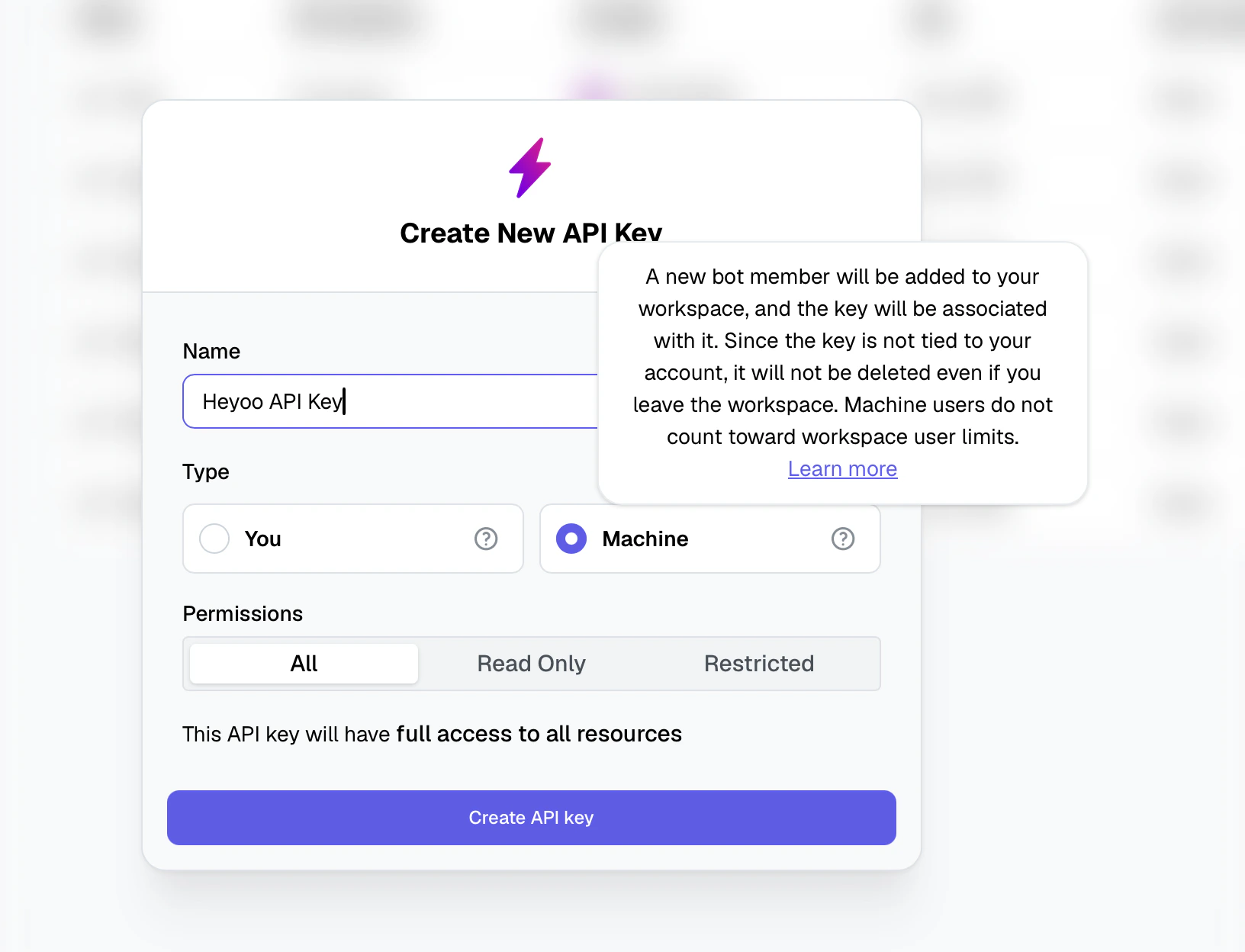 These machine users will show up on your workspace's **People** tab, but will not contribute to your workspace's user count.
 If you delete an API key associated with a machine user, the machine user will
be deleted. Vice versa, if you delete a machine user, their corresponding API
key will be deleted as well.
Machine users are available exclusively to workspace owners. If you are not
the owner of the workspace, this option will be disabled when creating an API
key.
## How to create an API key
You can create an API key by following these steps:
Go to **Settings** > **API Keys** in your workspace.
If you delete an API key associated with a machine user, the machine user will
be deleted. Vice versa, if you delete a machine user, their corresponding API
key will be deleted as well.
Machine users are available exclusively to workspace owners. If you are not
the owner of the workspace, this option will be disabled when creating an API
key.
## How to create an API key
You can create an API key by following these steps:
Go to **Settings** > **API Keys** in your workspace.
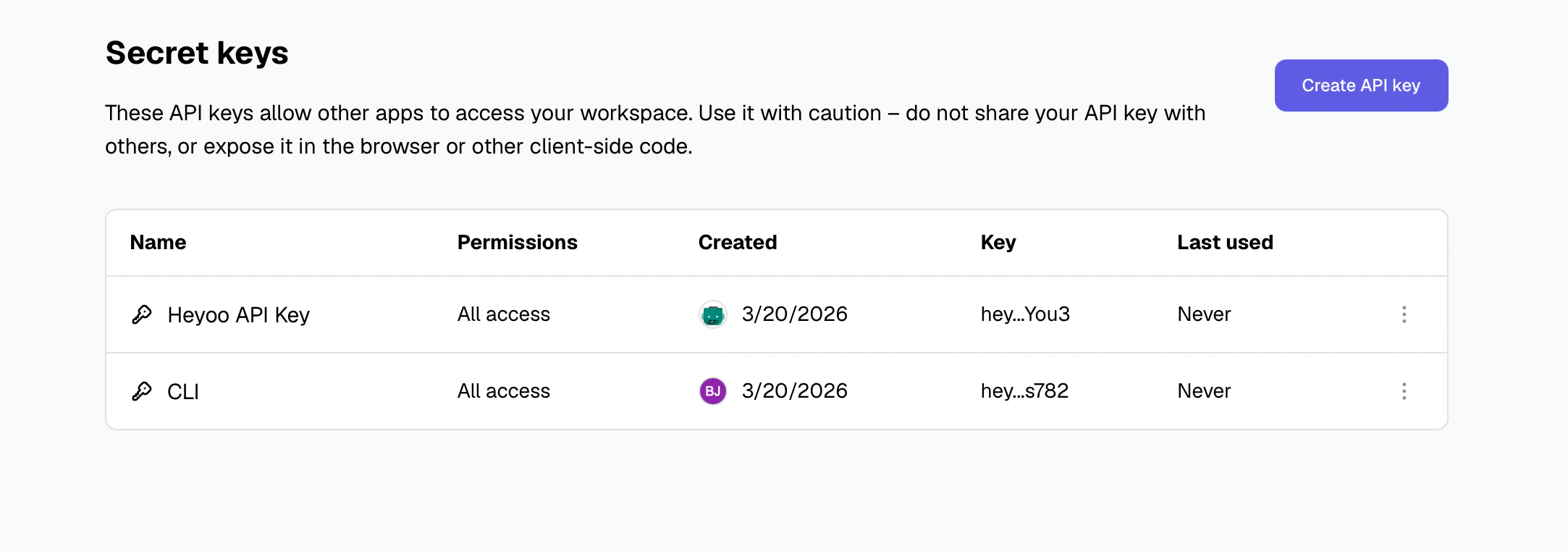 Click on the "Create" button and select permissions you want to grant to
the API key.
Select between "You" and "Machine" to associate the API key with a user or a [machine user](#machine-users).
* **You** – This API key is tied to your user and can make requests against the selected workspace.
* **Machine** – A machine user will be added to your workspace, and an API key will be created.
Click on the "Create" button and select permissions you want to grant to
the API key.
Select between "You" and "Machine" to associate the API key with a user or a [machine user](#machine-users).
* **You** – This API key is tied to your user and can make requests against the selected workspace.
* **Machine** – A machine user will be added to your workspace, and an API key will be created.
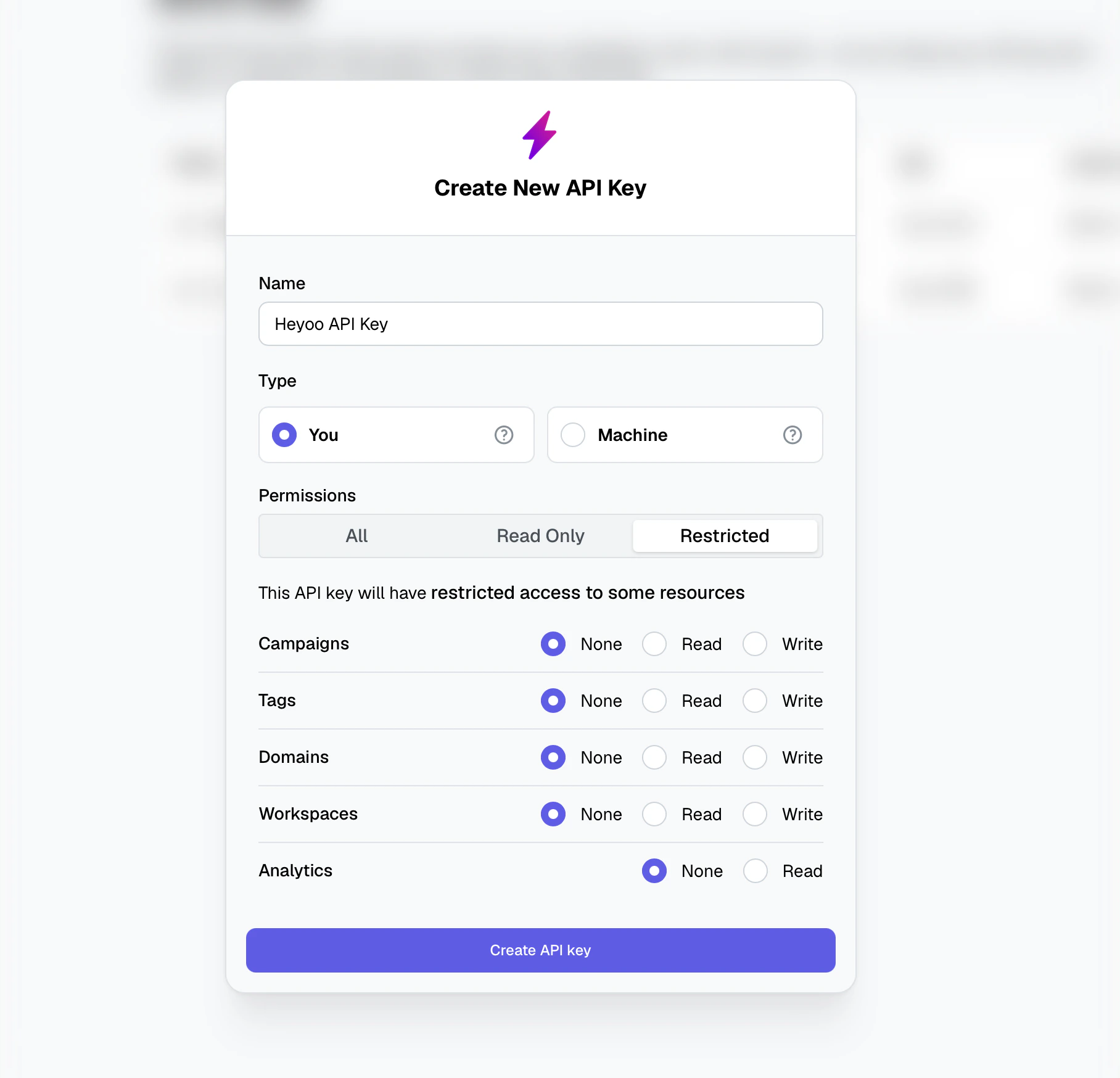 When making API calls, if your API Key have insufficient permissions, the error should tell you which permissions you need.
Make sure to copy your API key and store it in a safe place. You won't be able to see it again.
Now that you have your API key, you can use it to access your workspace's resources programmatically via SDKs or within any API request as a bearer token.
```
Authorization: Bearer hey_xxxx
```
We recommend creating API keys with the least privilege necessary to perform
the required tasks. This helps to reduce the risk of unauthorized access to
your workspace.
When making API calls, if your API Key have insufficient permissions, the error should tell you which permissions you need.
Make sure to copy your API key and store it in a safe place. You won't be able to see it again.
Now that you have your API key, you can use it to access your workspace's resources programmatically via SDKs or within any API request as a bearer token.
```
Authorization: Bearer hey_xxxx
```
We recommend creating API keys with the least privilege necessary to perform
the required tasks. This helps to reduce the risk of unauthorized access to
your workspace.